Financial Modeling - Part 2
Learn advanced financial modeling techniques in EasyFinancialPlanner, including handling market crash simulations, custom rules, and dynamic events.


This is part 2 of Financial Modeling in EasyFinancialPlanner. Read part 1 first if you haven’t already!
To map out a basic financial position or portfolio, you really only need three core ingredients: assets, incomes, and expenses. Together, they give you a clear view of your cash flow and overall net worth. They’re also the heavy lifters behind your FIRE number and retirement date calculations.
However, life isn’t always linear, and standard cash flow isn’t enough to model complex, real-world scenarios. Incomes handle recurring inflows, and expenses handle recurring outflows. But what happens when a major financial curveball occurs just once?
That’s where Events come in.
Events
Events are always linked to a specific item in your timeline—an asset, an income, or an expense—and directly impact its value.
For instance, if you want to model a 30% market downturn, you would create an event linked to your S&P 500 ETF asset with a value of -30%, scheduled for a specific date:
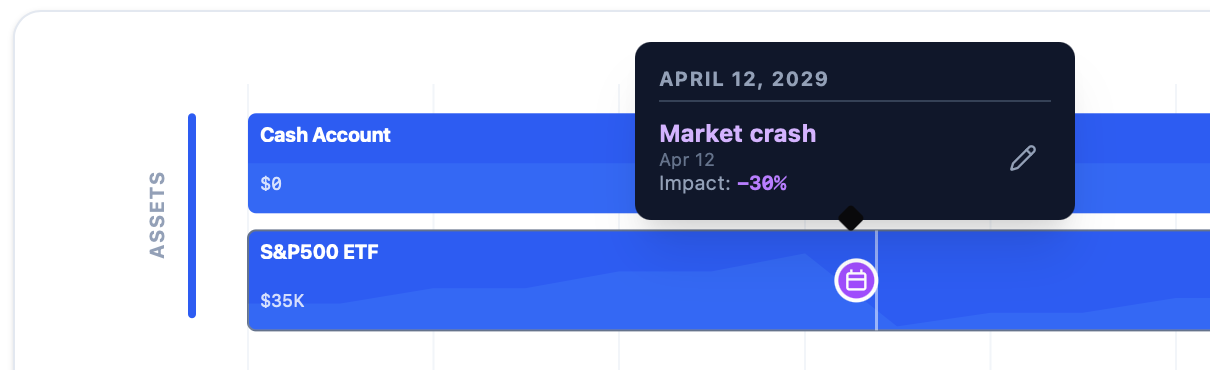
Market crash event affecting the S&P500 ETF
Events work both ways, too. A positive event—like receiving an inheritance or winning the lottery—can be mapped as a one-time cash injection directly into your Cash Account.
Rules
More often than not, financial planning involves moving money between assets. Think of scenarios like dollar-cost averaging into the market every month, or selling down 4% of a portfolio annually to fund early retirement.
We handle this using Rules. A rule connects two distinct assets a From source and a To destination and automates the transfer between them. You can set rules to trigger Once, Monthly, or Yearly, using either a fixed dollar amount or a percentage.
Here is a look at how these rules appear in the system:
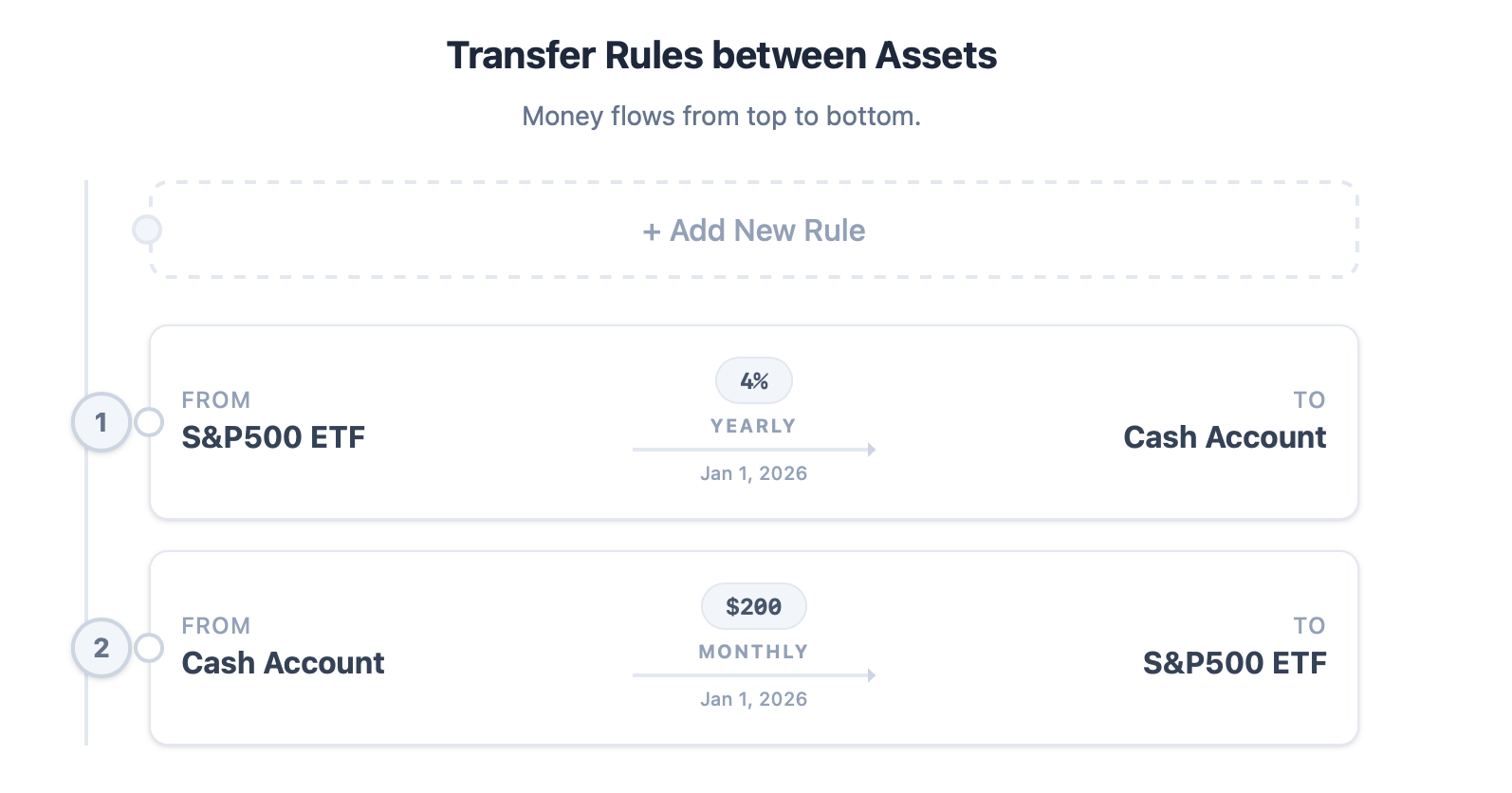
Rules
You can also track these rules directly on your main dashboard timeline under the specific assets they modify:
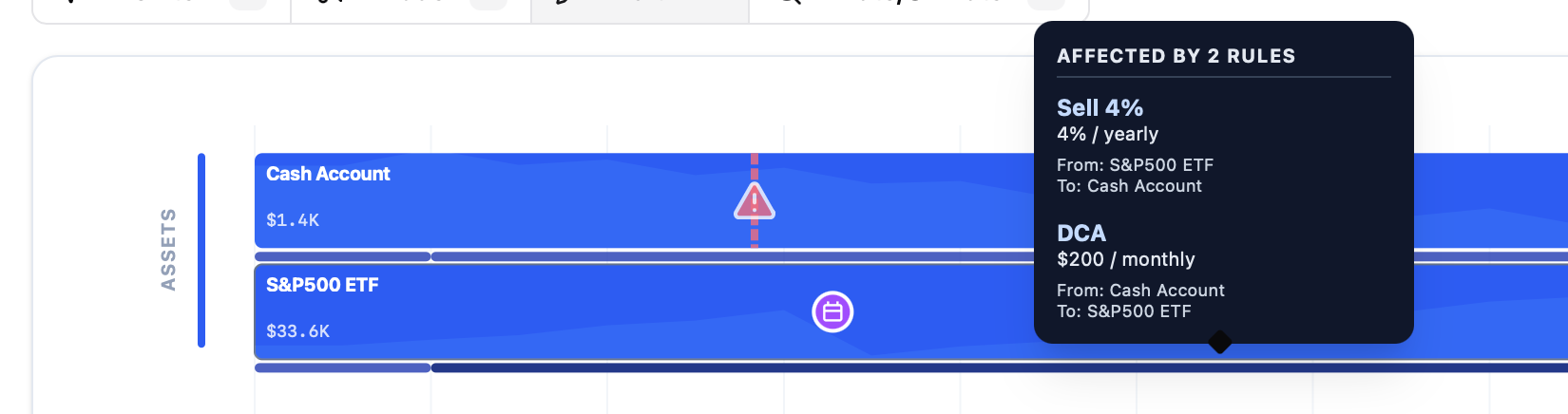
Rules on the timeline
By stacking assets, incomes, expenses, events, and rules together, you can map out some incredibly sophisticated financial roadmaps. While there are still a few limitations and plenty of room for new features, this current model easily covers the vast majority of everyday financial planning needs.
In the next post, I’ll walk through a few complete, real-world examples to show you how to use this modeling engine to make highly informed decisions about your financial future. Stay tuned!